Chromecast, in simplest terms a flashdrive-sized device that you plug into your TV to turn it into a "smart" TV, is the newest contender in the field of devices that allow your television to stream content from the internet. Let me say one important thing right now, Google will no doubt hit it big with this product.
At only $35, Chromecast is definitely the cheapest internet-streaming device on the market (Roku's cheapest model is $49.99 and you can find it here). For most of us, it provides everything we could want added to our TV: Netflix, Youtube, Chrome (Google's internet browser), and Google Play (where you can buy movies, music, TV shows, and more). If you have an Android device, you can display your device's screen right on the screen of your television (similar to Apple's Airplay). Also, for both Android and iOS users alike, you can browse what to watch, adjust the volume, and control playback straight from your phone and/or tablet). If you are looking to enhance your TV experience, then Chromecast is definitely for you.
You can buy Chromecast for only $35 here: Chromecast by Google
Monday, July 29, 2013
The Cheapest Way to Buy Chargers
Did you happen to lose your iPhone charger again? Don't worry because you will not have to spend $19 to replace it through Apple. Odds are, before seeing this, you have never thought of using Ebay to buy an iPhone/iPad/Mac/any other device charger. Well you are in luck because on Ebay the cost of an iPhone 5 charger is only $4.99 (or some cases $5.99). Shipping is almost always included in the price and sometimes even a car charger is included.
Now are you ready to get another charger?
iPhone 5 chargers on Ebay
iPhone 4 chargers on Ebay
Mac Chargers on Ebay
Now are you ready to get another charger?
iPhone 5 chargers on Ebay
iPhone 4 chargers on Ebay
Mac Chargers on Ebay
Wednesday, June 12, 2013
Candy Crush Saga is Not What it Seems
By this time, if you have an iPhone, iPad, or are a member of a Facebook, I am sure you have heard of Candy Crush Saga. For over a month now, it has been in the top 5 apps on Apple's App Store and is popular among people of all ages. Its addictive gameplay, cute graphics, and amazing price (free) makes everybody want to download it. Even the icon (shown below) makes you want to have it on your iPhone's home screen. All of this is true until you really start playing.
You beat the first 15 levels easily, no retries needed. Then you start losing sometimes and have to retry some levels. Eventually you come to the point where it says you have to wait 30 minutes before retrying, or you can ask your Facebook friends for more lives, or you can buy more lives right away through an in-app purchase. Well, you decided to wait the half-hour and keep playing and all is fine and dandy, right? Wrong! At some point, your addicted mind will keep you involved in this game until you reach level 35. Why did I specifically mention level 35? Because that is the last level that you can play unless you get your Facebook friends to help you out, or you pay $0.99 to unlock the next episode through an in-app purchase. So already you can see the scheme that is going on, but still it get worse... you have to keep paying or getting your Facebook friends to help you if you want to keep on unlocking new episodes (sets of levels).
King.com (the creators of this game) know that out of the millions of people that play their game, some will pay to unlock the episodes. How did they get these millions of people to play their game? Through the players who went through their Facebook friends to get extra retries or to unlock new episodes. By sharing that you are playing Candy Crush on Facebook, the whole world gets to see the game and learn about what Candy Crush Saga seems to be.
You keep playing the game, despite the whole money-making purpose of it, and eventually you see the charms in the top-left corner (inside the Yeti Shop). They look all cute and very helpful, and they only cost a merely $16.99, $24.99, and $39.99. Once again, out of the millions of people who play this game, some suckers will pay for these charms.
If you couldn't already tell, I will make my point plain and simple. King.com is like a meth dealer. They start you off for free, but once you are addicted, they get you to pay. So if you are smart and don't want to risk being a sucker for King.com, stay away from Candy Crush Saga.
You beat the first 15 levels easily, no retries needed. Then you start losing sometimes and have to retry some levels. Eventually you come to the point where it says you have to wait 30 minutes before retrying, or you can ask your Facebook friends for more lives, or you can buy more lives right away through an in-app purchase. Well, you decided to wait the half-hour and keep playing and all is fine and dandy, right? Wrong! At some point, your addicted mind will keep you involved in this game until you reach level 35. Why did I specifically mention level 35? Because that is the last level that you can play unless you get your Facebook friends to help you out, or you pay $0.99 to unlock the next episode through an in-app purchase. So already you can see the scheme that is going on, but still it get worse... you have to keep paying or getting your Facebook friends to help you if you want to keep on unlocking new episodes (sets of levels).
King.com (the creators of this game) know that out of the millions of people that play their game, some will pay to unlock the episodes. How did they get these millions of people to play their game? Through the players who went through their Facebook friends to get extra retries or to unlock new episodes. By sharing that you are playing Candy Crush on Facebook, the whole world gets to see the game and learn about what Candy Crush Saga seems to be.
You keep playing the game, despite the whole money-making purpose of it, and eventually you see the charms in the top-left corner (inside the Yeti Shop). They look all cute and very helpful, and they only cost a merely $16.99, $24.99, and $39.99. Once again, out of the millions of people who play this game, some suckers will pay for these charms.
If you couldn't already tell, I will make my point plain and simple. King.com is like a meth dealer. They start you off for free, but once you are addicted, they get you to pay. So if you are smart and don't want to risk being a sucker for King.com, stay away from Candy Crush Saga.
Tuesday, June 11, 2013
Roku 3 vs Vizio Co-Star vs Apple TV
You have a Netflix account and you are tired of sitting in your bed to watch movies on your iPad, right? Well your top three options for being able to watch Netflix, use Pandora, and more in your living room are the Roku 3, Vizio Co-Star, and the Apple TV. Though Roku does offer cheaper models, these three devices all cost $99, so the price will not be playing a major factor in which is more worth buying. Below you can see the details about each device, and a video of each one in action. Before anything though, you should know that all the devices allow you to use Pandora, Netflix, and Hulu Plus. Also, all the devices have a smartphone/tablet app that lets you control them if you don't have the remote handy.
Roku 3:
-Plug headphones into the Roku remote so you can watch TV without disturbing others in the room
-Access and play music through your Amazon Cloud Player and Spotify accounts
-Play games such as Angry Birds using the remote with motion-control
-Can stream a movie using less power than a nightlight
Vizio Co-Star:
-Turns your TV into a "Google TV"
-Access to thousands of Apps (including Youtube and Wikipedia)
-The Co-Star's remote has a keyboard so it is easy to type in names of movies/shows you would like to watch
-Play video games on demand through OnLive
-Search the web right on your TV
Apple TV:
-Play music and movies from your iTunes library
-Play Youtube videos
-Very simple remote
-View the game/movie that you are playing on your iPad on your TV using AirPlay
-Access to iCloud
Right now, for $99, the Vizio Co-Star seems like the best option for the ultimate TV experience. If you are looking for a cheaper device that does not much more than play Netflix movies and songs from Pandora, than Roku offers cheaper versions of their device called the Roku LT ($49.99, 720p video) and Roku HD ($59.99, 1080p video).
If you are interested in buying one of these TV enhancing devices, follow one of the links below:
Roku 3 (and other models): http://shop.roku.com
Vizio Co-Star: http://store.vizio.com/costar.html
Apple TV: http://www.apple.com/appletv/what-is/
Roku 3:
-Plug headphones into the Roku remote so you can watch TV without disturbing others in the room
-Access and play music through your Amazon Cloud Player and Spotify accounts
-Play games such as Angry Birds using the remote with motion-control
-Can stream a movie using less power than a nightlight
Vizio Co-Star:
-Turns your TV into a "Google TV"
-Access to thousands of Apps (including Youtube and Wikipedia)
-The Co-Star's remote has a keyboard so it is easy to type in names of movies/shows you would like to watch
-Play video games on demand through OnLive
-Search the web right on your TV
Apple TV:
-Play music and movies from your iTunes library
-Play Youtube videos
-Very simple remote
-View the game/movie that you are playing on your iPad on your TV using AirPlay
-Access to iCloud
Right now, for $99, the Vizio Co-Star seems like the best option for the ultimate TV experience. If you are looking for a cheaper device that does not much more than play Netflix movies and songs from Pandora, than Roku offers cheaper versions of their device called the Roku LT ($49.99, 720p video) and Roku HD ($59.99, 1080p video).
If you are interested in buying one of these TV enhancing devices, follow one of the links below:
Roku 3 (and other models): http://shop.roku.com
Vizio Co-Star: http://store.vizio.com/costar.html
Apple TV: http://www.apple.com/appletv/what-is/
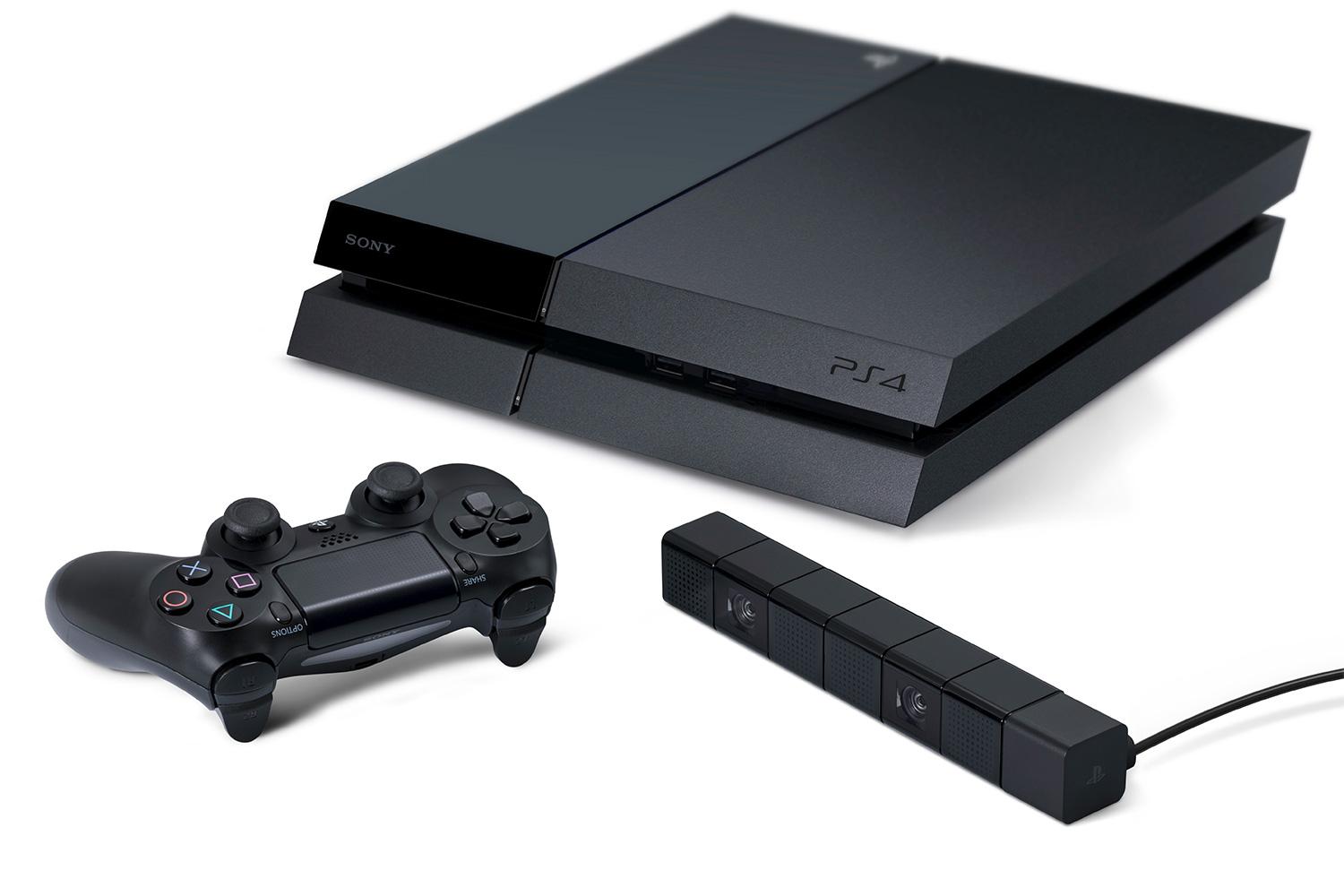
Xbox One vs Playstation 4
Yesterday, both the Xbox One and Playstation 4 (PS4) had their big reveals at E3. Both of these consoles were announced earlier this year at separate events, but E3 is where they are really shown off. Of course now comes the dilemma that we as gamers face, which console is better and should we buy? The table below compares the two consoles side by side, so you can see which one you should get when they are released.
So as we can see, the Playstation 4 is better in the key categories. Regarding used games, some Xbox One games will come with a one-time registration code so that being able to resell them will not be possible. Also, when you think about it, odds are you will be connected to the Internet to play online or watch Netflix anyway, so the factor regarding connecting to the Internet at least once a day for the Xbox One is not as big as it may seem. The other key idea to remember is that Xbox One will get priority with certain games such as Call of Duty: Ghosts and Minecraft: Xbox One Edition.
So all in all, which one should you get when they are released? Right now, the Playstation 4 because it is one-hundred dollars less and does pretty much all the same things as the Xbox One. If however, the price of the Xbox One comes down, then the Xbox One is certainly the next-generation gaming console to buy.
You can see videos of both being revealed below:
Xbox One:
Playstation 4:
Monday, June 10, 2013
Changing the Color Scheme/Background Image for Terminal
Sometimes, when you are in the middle of entering unix commands, the fact that Terminal is so bland hits you. It is just a boring white window with black text. Believe it or not, straying from this boringness is much easier than you would think. All you have to do is launch the Terminal app, click "Terminal" in the menu bar, click "Preferences", click "Settings", click "Window", and you are now at the menu where you can pick from the varying default styles, or you can create your own. To add your own color-scheme or background image, click the "+" in the bottom-left corner.
![]() |
| ^^^^ The plus is right above those carets |
Then you can choose an image from your computer or pick colors to make your Terminal window fit you.
Finally, to change which style Terminal window is initially shown when the Terminal app is launched, go to the "Startup" section (with the green flag above it) and select your, or one of the default, custom Terminal style.
Using Terminal to Play Tetris
Being able to play the classic game of Tetris from within Terminal is much simpler than you would think. First, open up the Terminal app. Next type "emacs" (without the quotation marks) and press enter. Then press escape and type "x" (without the quotation marks). Finally, type "tetris" (without the quotation marks) in all lower-case letters, press enter, and enjoy playing Tetris!
Subscribe to:
Posts (Atom)