Showing posts with label netflix. Show all posts

Monday, July 29, 2013

Chromecast will be Google's Next Hit Product

Chromecast, in simplest terms a flashdrive-sized device that you plug into your TV to turn it into a "smart" TV, is the newest contender in the field of devices that allow your television to stream content from the internet. Let me say one important thing right now, Google will no doubt hit it big with this product.


At only $35, Chromecast is definitely the cheapest internet-streaming device on the market (Roku's cheapest model is $49.99 and you can find it here). For most of us, it provides everything we could want added to our TV: Netflix, Youtube, Chrome (Google's internet browser), and Google Play (where you can buy movies, music, TV shows, and more). If you have an Android device, you can display your device's screen right on the screen of your television (similar to Apple's Airplay). Also, for both Android and iOS users alike, you can browse what to watch, adjust the volume, and control playback straight from your phone and/or tablet). If you are looking to enhance your TV experience, then Chromecast is definitely for you.

You can buy Chromecast for only $35 here: Chromecast by Google

Tuesday, June 11, 2013

Roku 3 vs Vizio Co-Star vs Apple TV

You have a Netflix account and you are tired of sitting in your bed to watch movies on your iPad, right? Well your top three options for being able to watch Netflix, use Pandora, and more in your living room are the Roku 3, Vizio Co-Star, and the Apple TV. Though Roku does offer cheaper models, these three devices all cost $99, so the price will not be playing a major factor in which is more worth buying. Below you can see the details about each device, and a video of each one in action. Before anything though, you should know that all the devices allow you to use Pandora, Netflix, and Hulu Plus. Also, all the devices have a smartphone/tablet app that lets you control them if you don't have the remote handy.

Roku 3:

-Plug headphones into the Roku remote so you can watch TV without disturbing others in the room
-Access and play music through your Amazon Cloud Player and Spotify accounts
-Play games such as Angry Birds using the remote with motion-control
-Can stream a movie using less power than a nightlight


Vizio Co-Star:

-Turns your TV into a "Google TV"
-Access to thousands of Apps (including Youtube and Wikipedia)
-The Co-Star's remote has a keyboard so it is easy to type in names of movies/shows you would like to watch
-Play video games on demand through OnLive
-Search the web right on your TV


Apple TV:

-Play music and movies from your iTunes library
-Play Youtube videos
-Very simple remote
-View the game/movie that you are playing on your iPad on your TV using AirPlay
-Access to iCloud


Right now, for $99, the Vizio Co-Star seems like the best option for the ultimate TV experience. If you are looking for a cheaper device that does not much more than play Netflix movies and songs from Pandora, than Roku offers cheaper versions of their device called the Roku LT ($49.99, 720p video) and Roku HD ($59.99, 1080p video).

If you are interested in buying one of these TV enhancing devices, follow one of the links below:

Roku 3 (and other models): http://shop.roku.com
Vizio Co-Star: http://store.vizio.com/costar.html
Apple TV: http://www.apple.com/appletv/what-is/

Xbox One vs Playstation 4

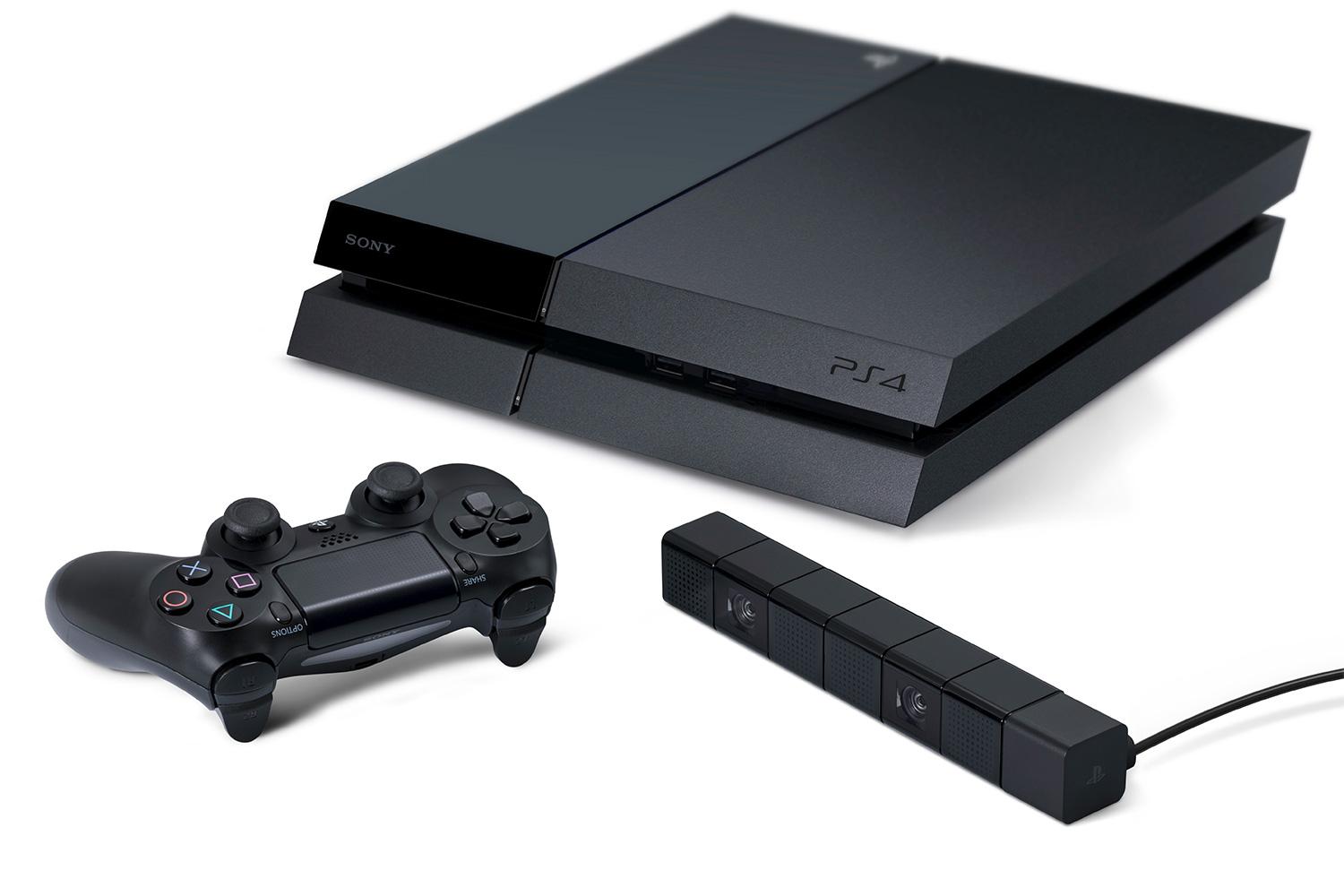
Yesterday, both the Xbox One and Playstation 4 (PS4) had their big reveals at E3. Both of these consoles were announced earlier this year at separate events, but E3 is where they are really shown off. Of course now comes the dilemma that we as gamers face, which console is better and should we buy? The table below compares the two consoles side by side, so you can see which one you should get when they are released.


Xbox One Playstation 4 Which is better?
The Price $499 $399 PS4
How It Looks Rectangular VCR Slanted VCR PS4
Able to Play Used Games Some games (more details below) Yes any, with no restrictions PS4
Needs Internet Connection Yes, must connect to Internet once a day No PS4
Able to Use Netflix Yes Yes Tie
Able to Play Blu-Ray Yes Yes Tie
Able to use Voice Control Yes No Xbox One
Motion Sensor Kinect, comes with the console PS-Eye is sold seperately ($60) Xbox One

So as we can see, the Playstation 4 is better in the key categories. Regarding used games, some Xbox One games will come with a one-time registration code so that being able to resell them will not be possible. Also, when you think about it, odds are you will be connected to the Internet to play online or watch Netflix anyway, so the factor regarding connecting to the Internet at least once a day for the Xbox One is not as big as it may seem. The other key idea to remember is that Xbox One will get priority with certain games such as Call of Duty: Ghosts and Minecraft: Xbox One Edition.

So all in all, which one should you get when they are released? Right now, the Playstation 4 because it is one-hundred dollars less and does pretty much all the same things as the Xbox One. If however, the price of the Xbox One comes down, then the Xbox One is certainly the next-generation gaming console to buy.

You can see videos of both being revealed below: 

Xbox One:


Playstation 4: